



Modules
RTA, room analysis, sound level logger, signal generator
Precise & cost-effective
Measurements using standard sound cards and measurement microphones.
Module RTA
Real-Time Analyzer for acoustic measurements
- Evaluation of car, hi-fi, PA and home cinema sound systems or
- Measurement of noise emissions from machinery or equipment or
- Display spectrum / sound level at live events or
- Check of soundproofing measures
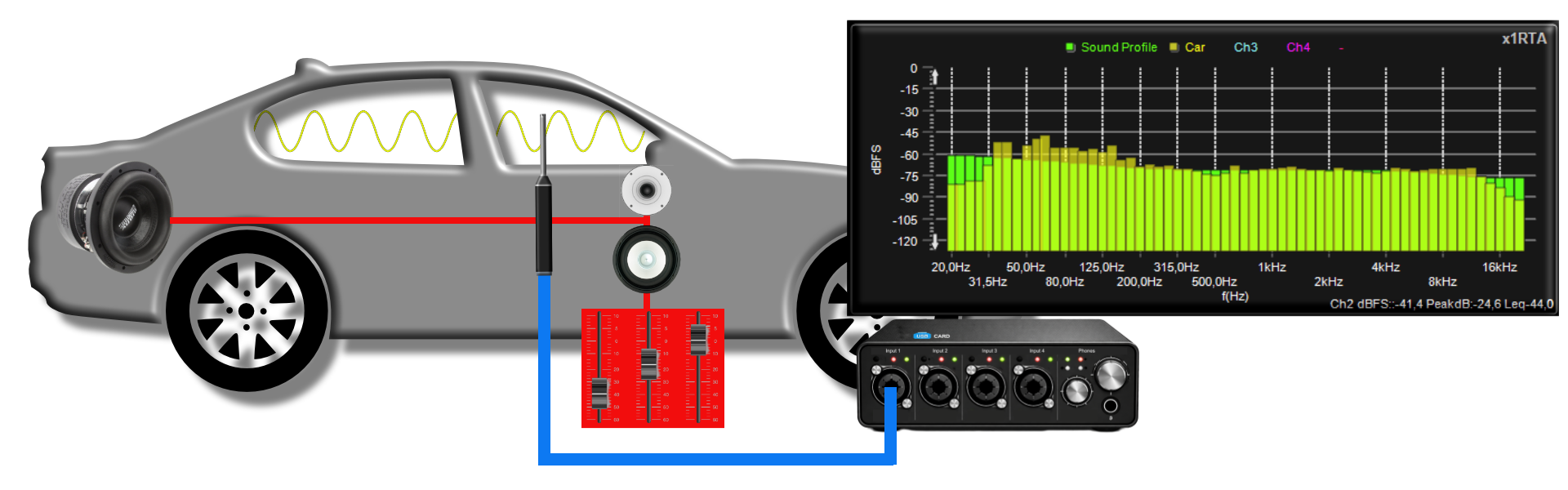
Optimize Car Hifi via Sound Profiles
Car audio systems should not be tuned linearly due to the vehicle’s interior layout and materials. But what does proper tuning look like? This is where our ready-made and free sound profiles for cars, SUVs... come in handy.
You can find the profiles, as well as the free of charge Profile Editor, in the Downloads section.
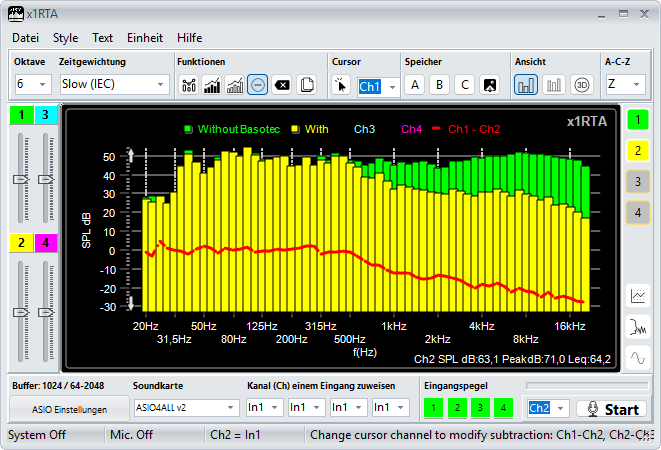
Difference measurement
Difference measurement is a particularly effective tool for making comparisons. It is derived from two RTA channels and displayed in a separate channel.
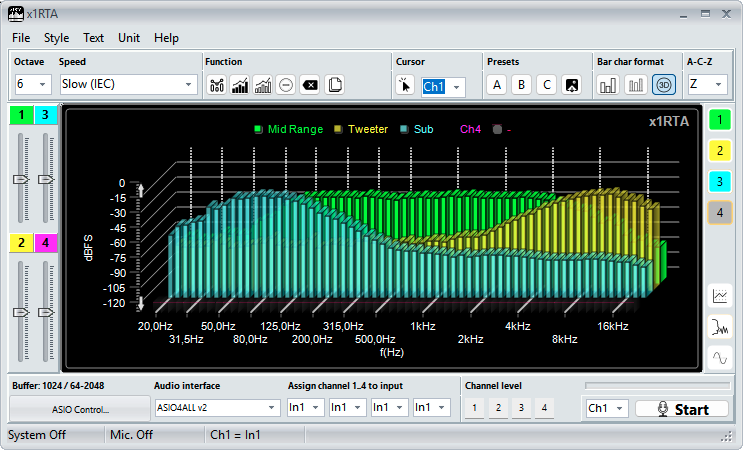
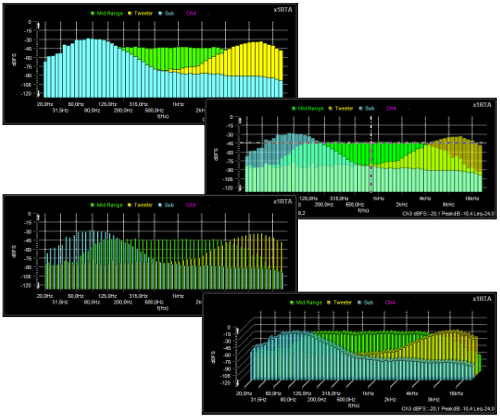
RTA bar chart formats
From top down: Default, Default with transparency, Shifted and 3D
Module highlights
- 4-channel RTA measurement display for quick comparisons of measurements
- Up to 10 microphones for direct selection within the software
- Mic. SPL calibration via sound level calibrator
- IEC 61260 centre frequencies, Class 1 filter slope
- Rise time constants: Impulse, Fast and Slow
- RTA 1/1 to 1/12 octave
- A-C-Z (flat) frequency weighting
- Sound profiles (reference curves) for tuning car audio systems
- Microphone correction (0°, 90°) per input
- 5th measurement channel for displaying Peak, Peak & Decay, Difference, Snapshot
- Text input for display channel
- Archiving: Save, export, print
Module acoustic room analysis
Why room acoustics is so important?
Room acoustics determine whether speech is clearly intelligible, music is captivating, or a room feels straining. Yet every room has different requirements: a control room requires maximum precision, a conference room perfect speech intelligibility, and a concert hall the right balance of clarity and richness.
What do all these readings mean?
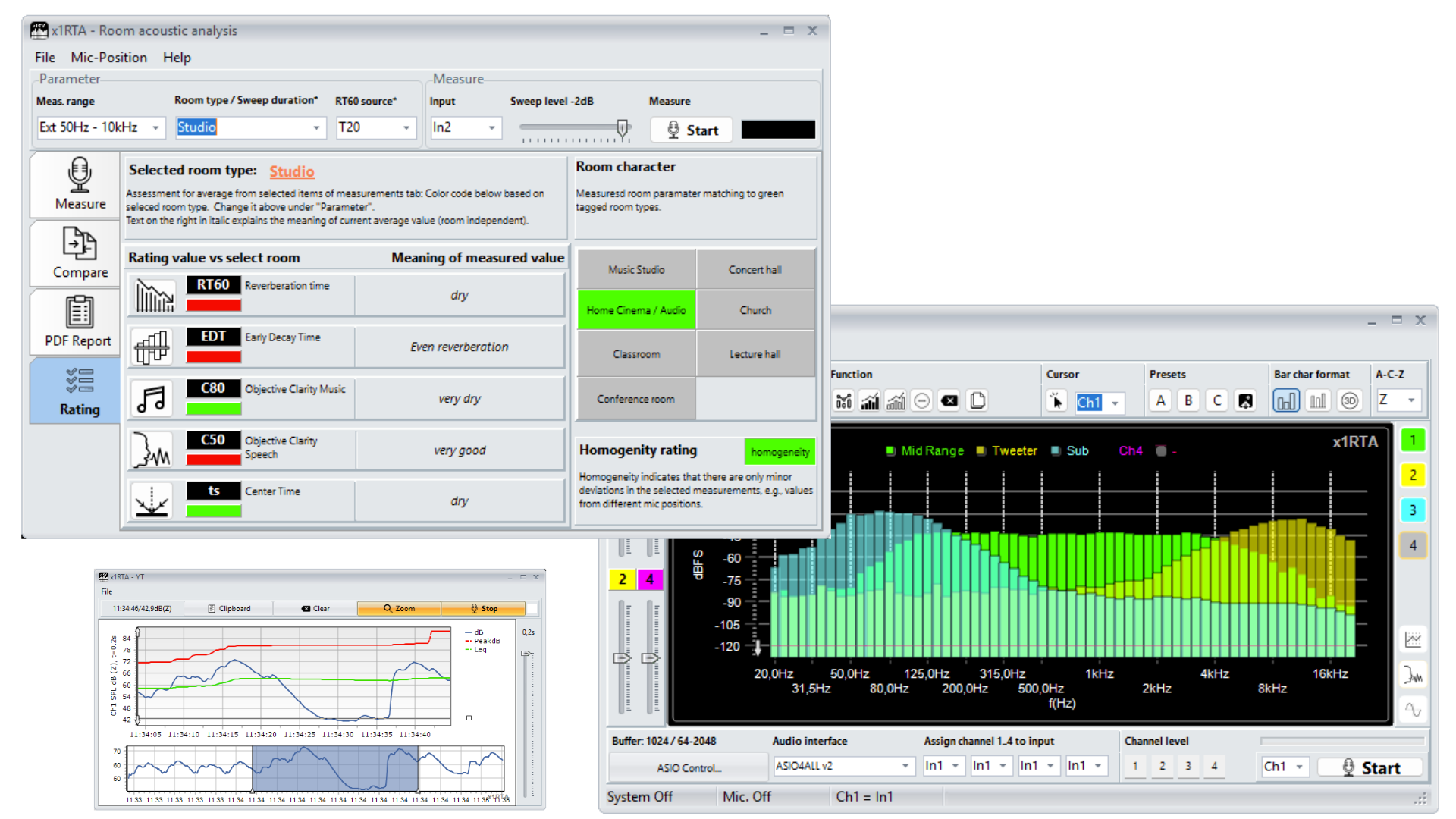
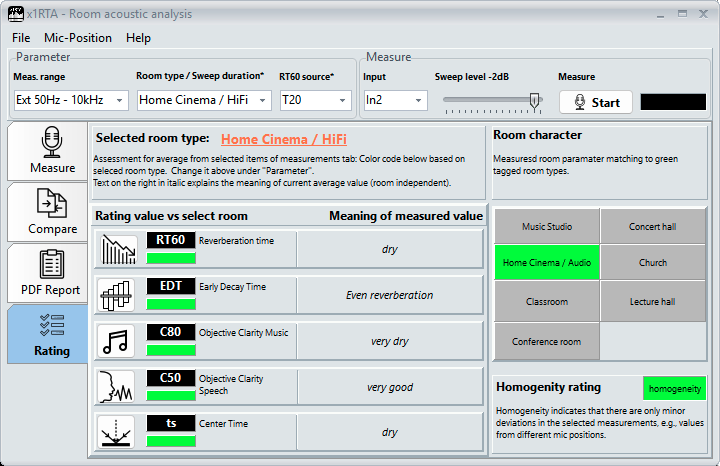
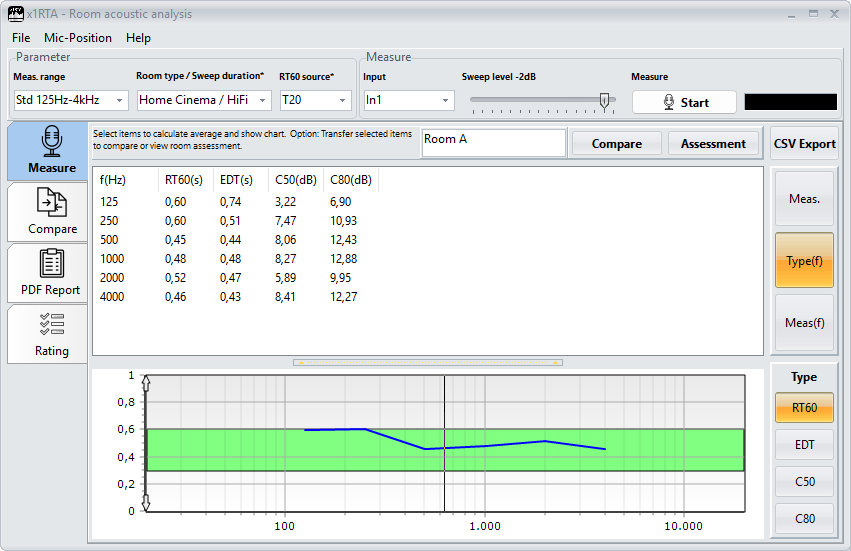
The software analyses all parameters and evaluates them according to the selected room type. This allows you to see at a glance whether your room is optimally tuned:
- How well do the measured room parameters (RT60, EDT, etc.) match my room type, e.g. ‘Home Cinema’? Result as a pass/fail assessment
- What do the measured values for RT60, EDT, C50, etc. mean? Reverberant or dry?
- How good is the acoustic homogeneity of the room?
Optimised workflow
To obtain meaningful results, it is recommended to take the average of several measurement points. This is particularly easy with x1RTA:
- x1RTA supports direct selection from up to 10 microphones (= positions).
- The ‘Measurements’ page collates all measurements for the positions, including a description.
- You can calculate average values from any set of measurements.
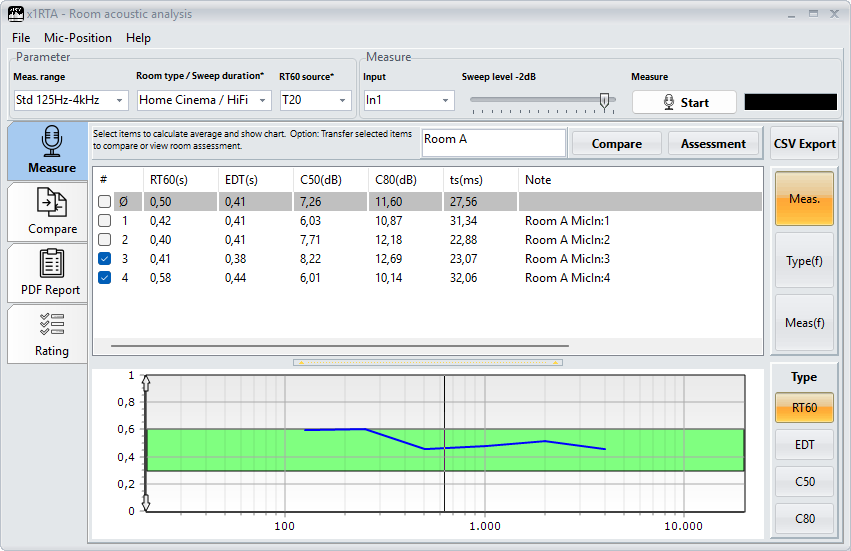
x1RTA makes room acoustics measurable – and instantly assessable.
Comparison of measurement series
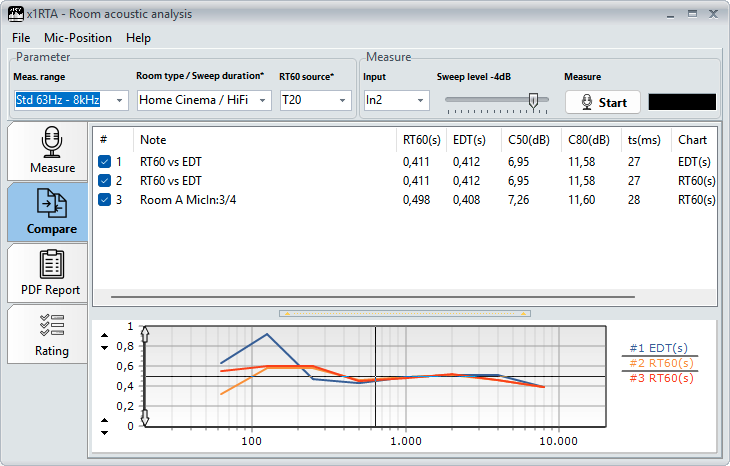
The ‘Comparison’ page allows you to compare measurement charts of any set from identical and different parameters. It is therefore ideal for comparing acoustic measures within a room.
Reports
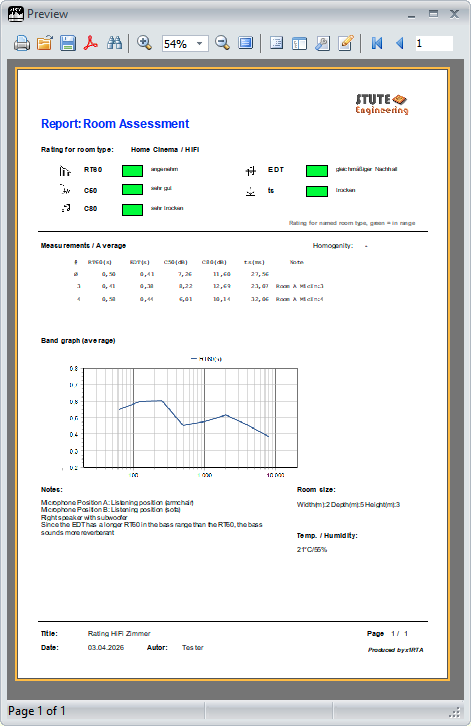
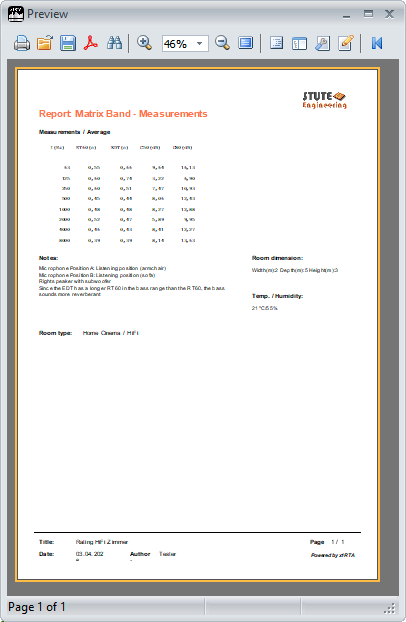
Create informative reports based on templates for individual measurements. Supplement the measurements with information such as the measures taken for acoustic optimisation, an interpretation of the measurement values, or a description of the measurement setup.
The measurement conditions can also be specified here (room dimensions, temperature, etc.).
In a professional context, your company logo can be added to the report.
Module highlights
- Room analysis with pass/fail assessment, based on a selected room type (e.g. Conference room or Home Cinema)
- Standard and Extended measurement range up to 50 Hz – 10 kHz with 1/3 Octave
- Support for up to 10 microphones: position the microphones in the room and carry out the measurement step by step without repositioning or reconnecting them
- Efficient workflow for averaging and labelling measurement series
- Use ready to use report templates to present results professionally to your clients, including your company logo
- Tips for best results: Position the loudspeaker and microphone
- Save measurement series
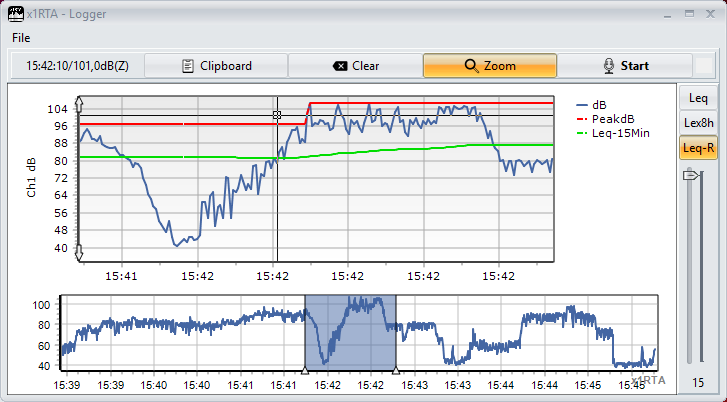
The Logger module allows you to record sound levels (SPL in dB, Peak dB, Leq, running Leq and Lex,8h) in rooms, at workstations or for machinery over time. Optionally, the measured values can be weighted according to the A or C scale.
Without zoom

With zoom
SPL calibration
You can easily calibrate the microphone and audio interface using a microphone sound level calibrator.
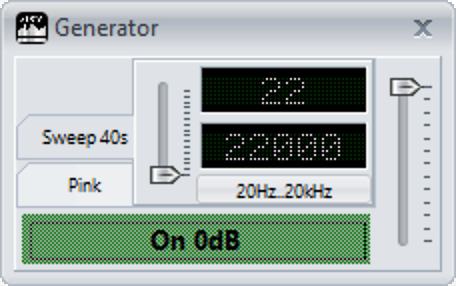
The built-in signal generator provides the signals required for both internal and external measurement modes. This means you can use the RTA module and the pink noise signal to generate meaningful frequency responses – in real time!
See for yourself just how powerful it is – with no risk. Download the software today from our downloads section.
PC system requirements
- MS-Windows 10/11 (32/64bit)
Required hardware
- USB audio interface (ASIO driver), 48 kHz sample rate
- Measurement microphone
- Room measurement: active speaker or amplifier and loudspeaker
A brief overview of the x1RTA moduls: Audio Real Time Analyzer (RTA), Room acoustics analysis and Sound Level Logger.


A brief overview of the RTA module’s functions
- RTA display modes Standard, Shifted, 3D
- Enable / disable RTA channels
- y-Offset slider for each RTA channel
- Extras: Snapshot, Peak-Hold, PH and Decay, Difference
- Copy "Peak hold" to RTA channel
- Octave setting, A-C-Z filter, RTA time setting
- RTA zoom in/out via mouse
- Load car sound profile
- Cursor read out
- RTA measurement copy & paste
- Assign audio interface inputs (max. 1 to 10) to RTA channels 1 to 4



